Endpoint detection and response (EDR)
Endpoint Detection and Response (EDR) is a security solution that offers deep-level protection for endpoints. No matter where the endpoints are, the EDR will make sure they are monitored constantly and threats are detected.
Below are some of the EDR solutions in the market:
Features of EDR
With advanced visibility, detection, and response, EDR becomes a very powerful tool. However, it's also important to remember that an EDR is a host-only security solution and does not detect network-level threats.
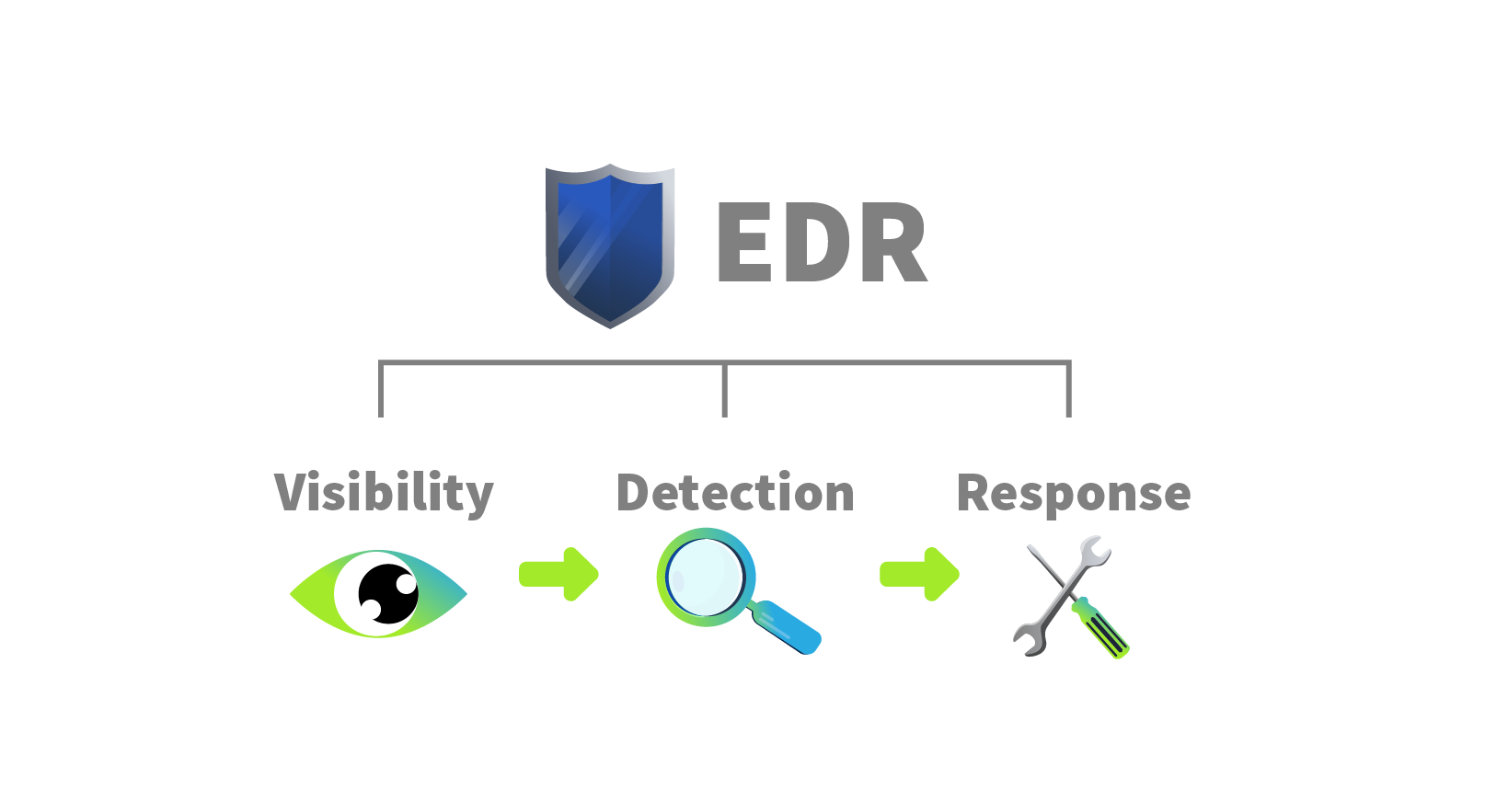
Visibility
This is one of the features of EDR that makes it unique from other endpoint security solutions.
- The level of visibility EDR provides is impressive.
- Collects detailed data from the endpoints, which includes process modifications, registry modifications, file and folder modifications, user actions, and much more.
- Presents information in a very structured format to the analyst.
The analyst can see the whole process tree with a complete activity timeline of the sequence of actions. The analyst can also access the historical data of any endpoint for threat hunting or any other purpose.
Any detections in the EDR land with a whole context.
- Process Modifications
- Registry Modifications
- File And Folder
- Modifications
- User Actions
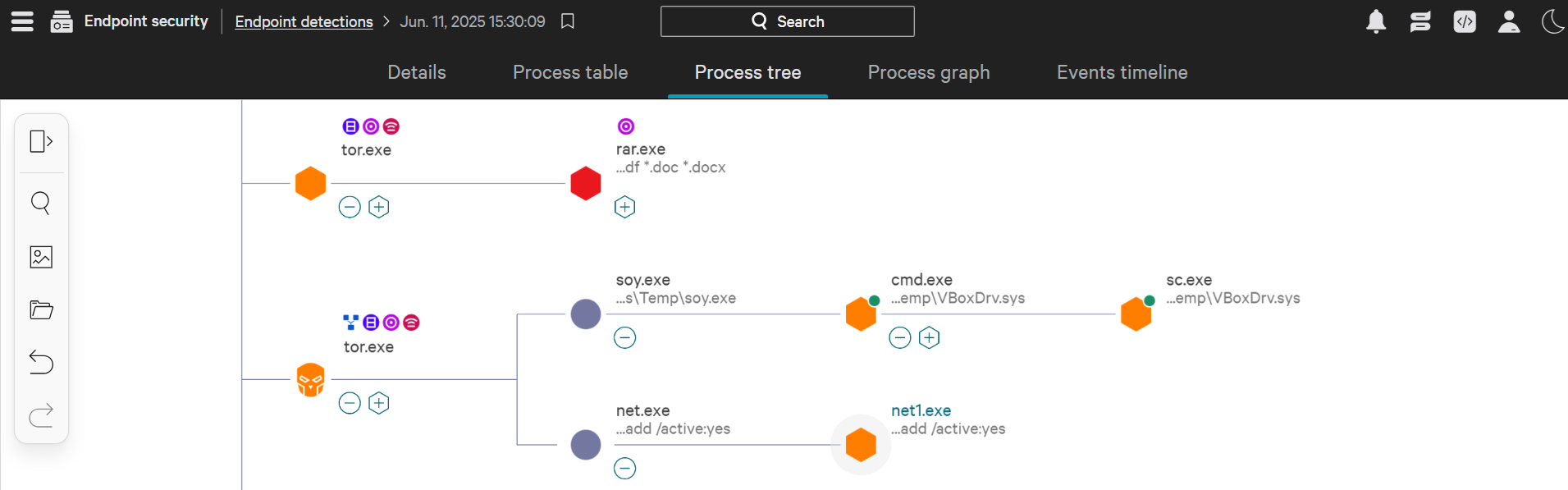
Detection
The detection feature of EDR wins over traditional detection capabilities. It incorporates signature-based detections as well as behavior-based detections, such as unexpected user activities. With modern machine learning capabilities, it identifies any deviation from the baseline behavior and instantly flags it. It can also detect fileless malware that resides in memory. It also allows us to feed custom IOCs for threat detections.
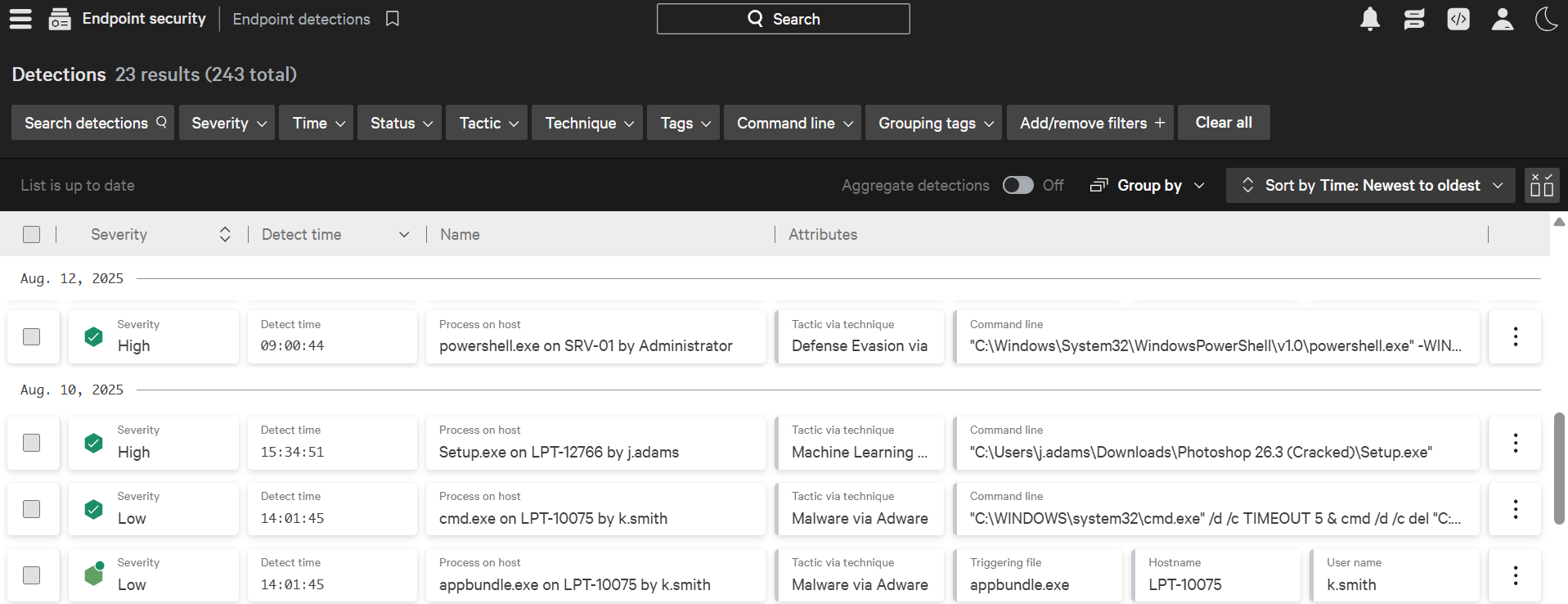
Some of the advanced detection techniques include:
- Behavioral Detection
Instead of just matching the signatures with known threats, it observes the complete behavior of a file. Advanced threats craft their malware to look clean and use legitimate processes to carry out their attack. EDR catches this behavior.
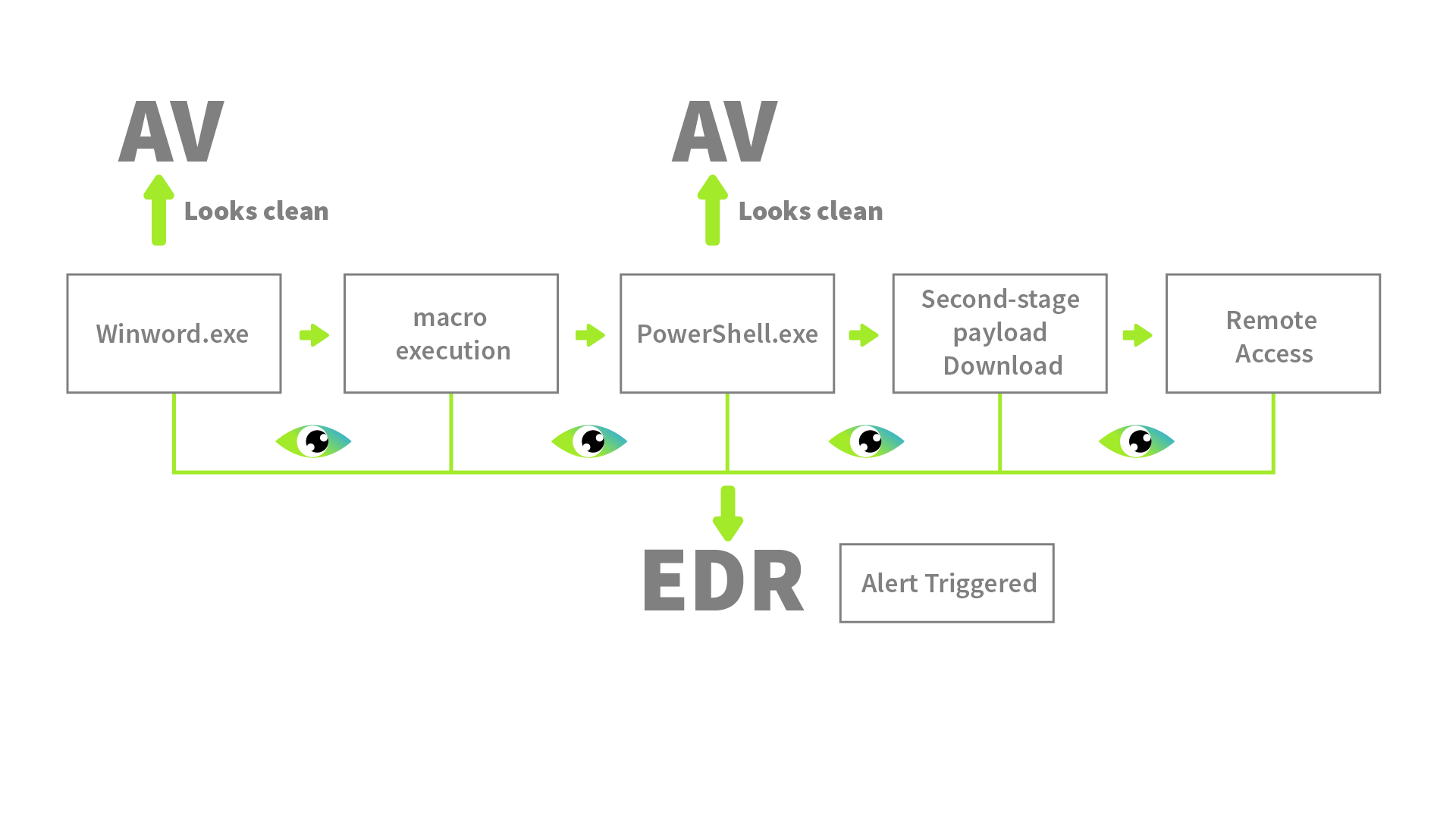
Example: A process winword.exe spawning PowerShell.exe will be flagged by the EDR due to the behavior. A Word document spawning a PowerShell is an unusual parent-child relationship. - Anomaly Detection
With time, EDR understands the baseline behavior of the endpoints. Any activity that deviates from this behavior will be flagged. During any malicious activity, the endpoint's behavior deviates from normal. EDR picks it up. Sometimes, this can generate false positives as well. However, with the full context it gives, the analyst can identify its legitimacy.
Example: On one of the endpoints, a process modifies an auto-start registry key, which is not a common behavior on the endpoint. - IOC matching
EDRs have some strong threat intelligence field integrations. Except for zero-day attacks, most of the attacks have indicators published in the threat intelligence feeds. EDR flags any activity that matches any known IOC. Example: A user downloads a file that drops an executable. The executable is often used in a specific attack. The hash of this executable will get matched with the threat intelligence feed and instantly flagged by the EDR. - MITRE ATT&CK Mapping
Any activity flagged by the EDR is not only marked as malicious or suspicious but also mapped with the MITRE Tactic and Technique (attack stage) that the particular activity was on. This proves to be very helpful for the analysts.
Example: If the EDR flags the creation of a scheduled task for any reason, it will likely map this activity to the following:- Tactic: Persistence
- Technique: Scheduled Task/Job
- Machine Learning Algorithms
Advanced threat actors try to evade defenses as much as possible, and their activities may sometimes bypass advanced detection techniques. Modern EDRs have machine learning models trained by a large dataset of normal and malicious behaviors. This can detect complex patterns of an attack.
Example: Attacks in which the individual actions are not inherently malicious, but the ML algorithm identifies the whole chain of activities as malicious. Fileless attacks and multi-staged intrusions are often detected through this.
What happens after Detection?
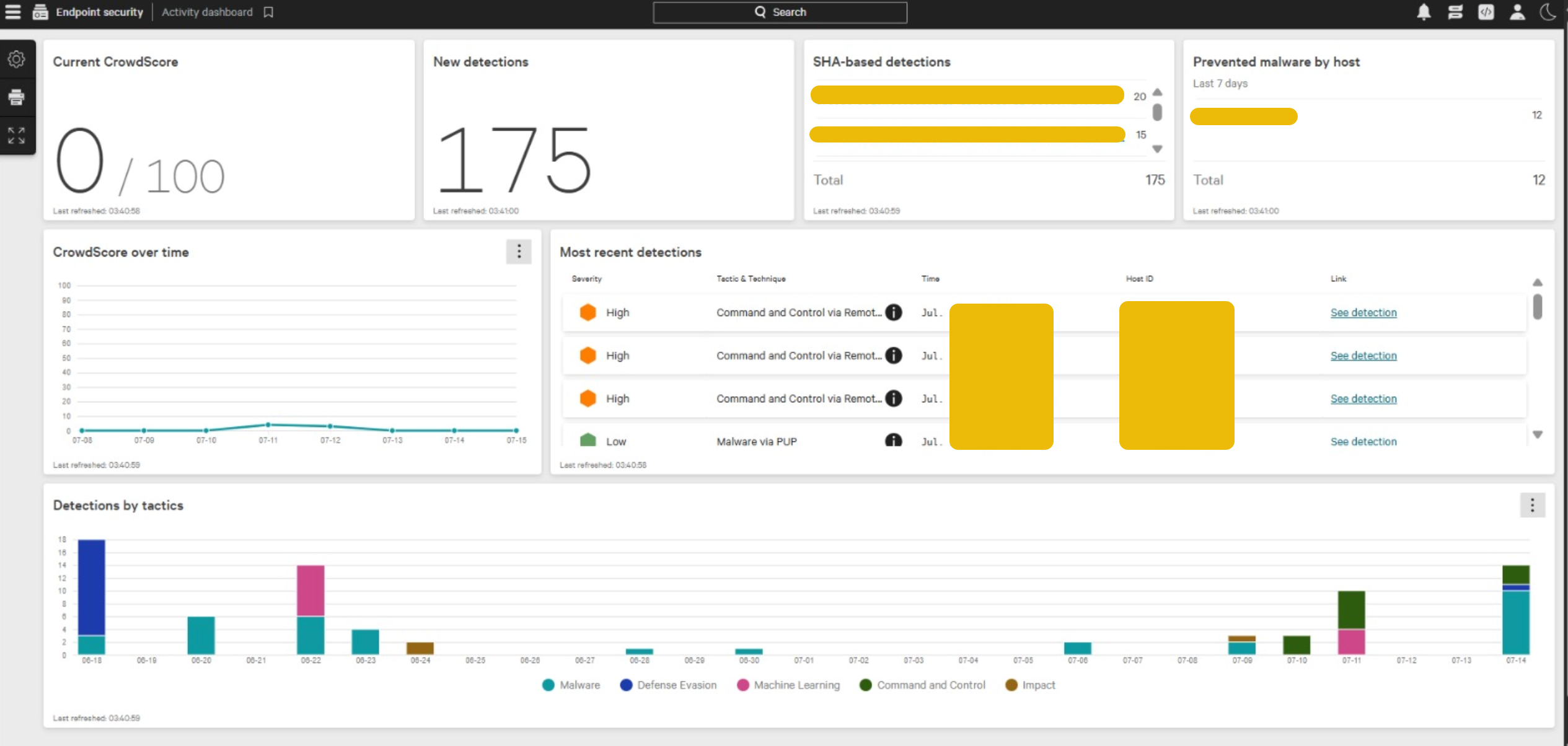
When a detection comes, it's a SOC analyst's responsibility to acknowledge the alert and prioritize it. The prioritization is made easy by the EDR itself. It gives severities to all the alerts (Critical, High, Medium, Low, Informational). The alert with the highest severity is investigated as a priority. For the investigation, once the alert is clicked, the analyst can see all the details of the detection. This includes any files executed, processes executed, network connection attempts, registry modifications, and much more. Based on the available data, the analyst's job is first to use their expertise to determine if the alert is a false positive or a true positive. In case of a true positive, the analyst can take actions from within the EDR console.
Response
EDR also empowers analysts to take action on detected threats. These actions can be taken at any endpoint within the central EDR console. Imagine getting a detection on the EDR with full-fledged details on when, where, and what happened, and you have to opt for the best possible action for that detection.
As an analyst, you may decide to isolate a complete endpoint, terminate a process, or quarantine some files. You can also connect to the host remotely and execute actions independently.
Some of the manual response capabilities:
- Isolate Host
During any malicious activity on an endpoint, you can isolate that endpoint from the network through EDR. This is a very effective function for containing malicious activity. Most attacks start from a single endpoint and move laterally to other endpoints to compromise the whole network. Isolating the infected endpoint on time can stop this from happening. - Terminate Process
Not every malicious activity requires host isolation. Some hosts run the core business operations, and isolating them can cause more loss than the malicious activity. In such cases, terminating a process is enough to neutralize the malicious activity. The analysts get this option in the EDR. They can terminate any process at any time. This action should be taken consciously since terminating a legitimate process can disrupt the endpoint. - Quarantine
If a malicious file comes into the endpoint, it can be quarantined. Quarantine ensures that the file is moved to an isolated location where it can not be executed. The analysts can then review the file to restore or permanently remove it. - Remote Access
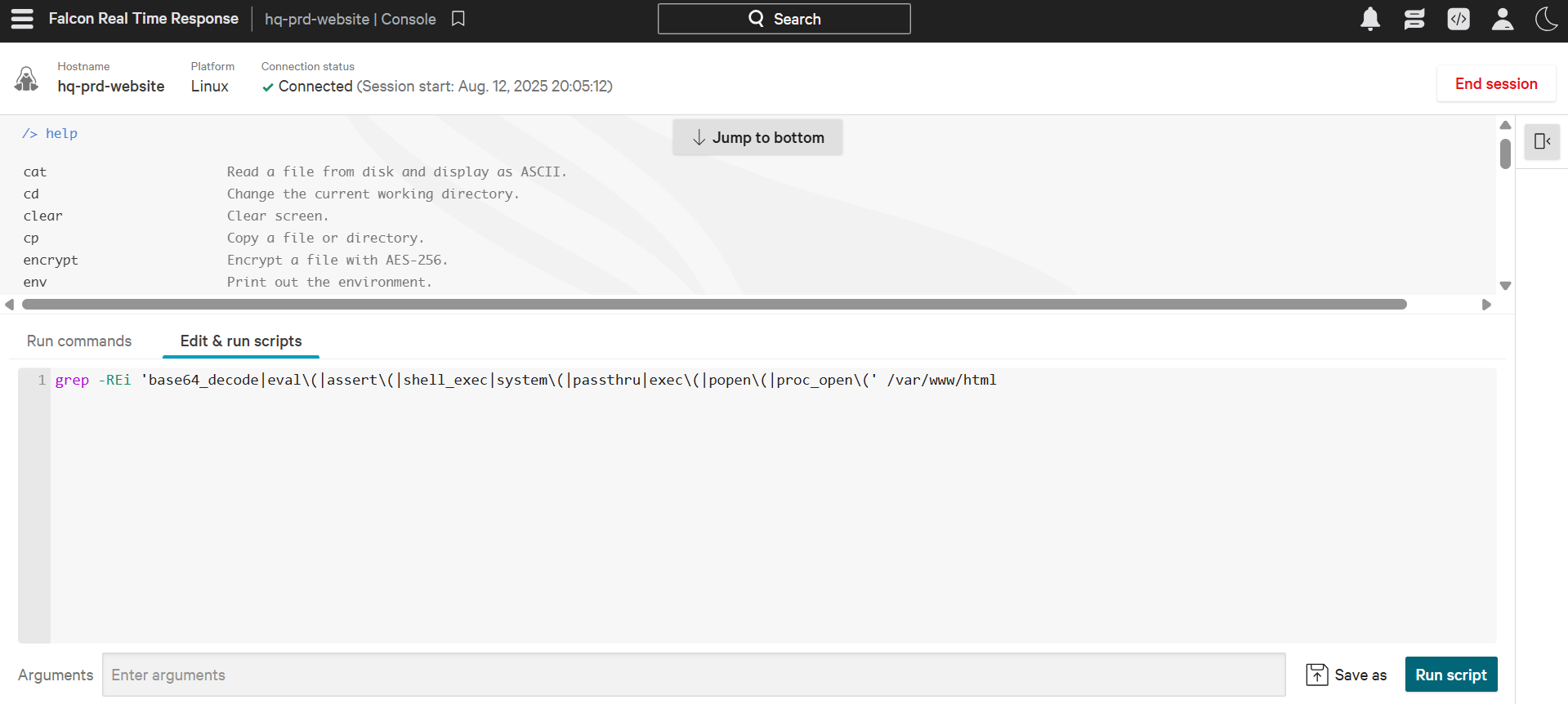
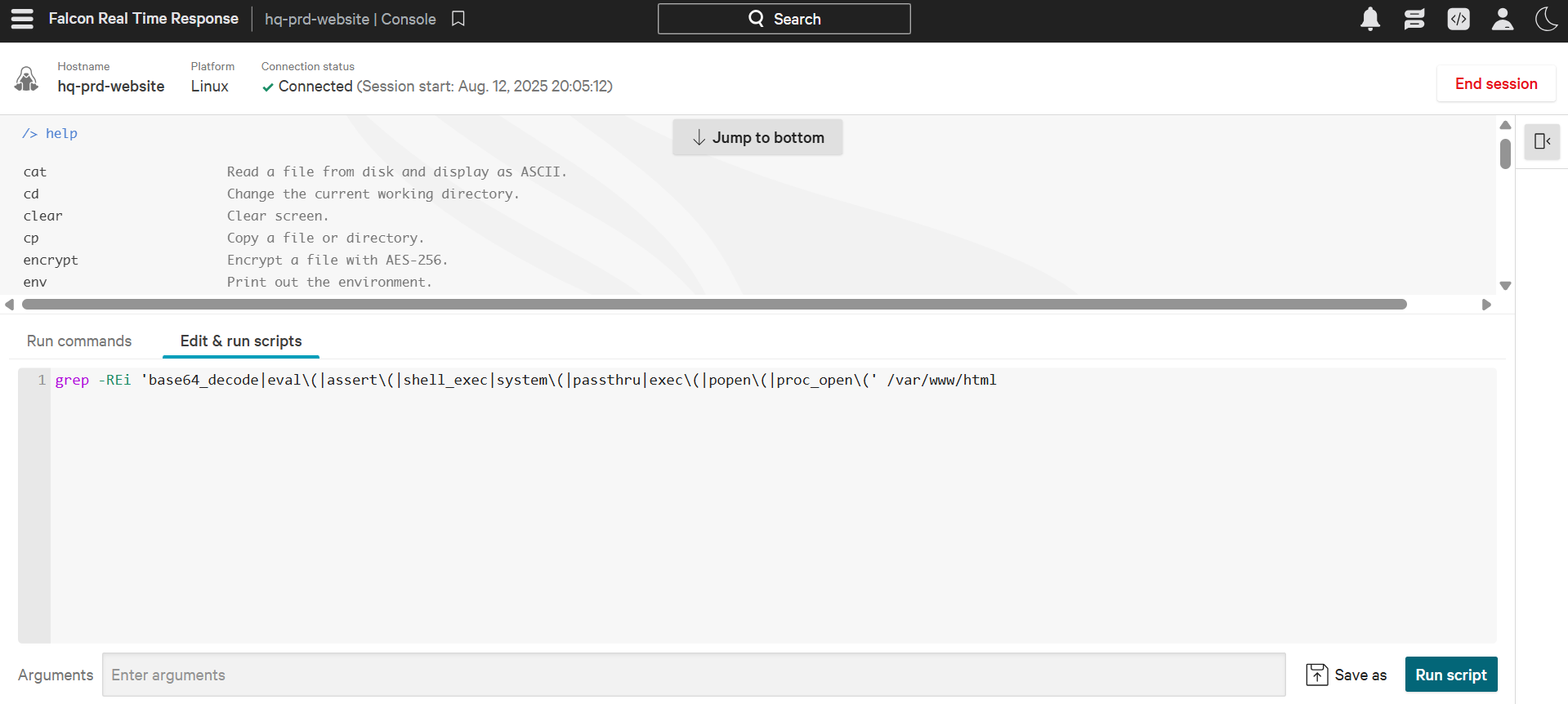
Analysts can also remotely access the shell of any endpoint. This is often done when the EDR's built-in response is not enough to take action on a specific activity. Through remote access, analysts can gain deeper visibility into the system or take custom actions within the endpoints. The analysts can also run scripts or collect their desired data from the host through remote access.
Below is an example of CrowdStrike Falcon EDR's RTR (Real Time Response) console, which allows analysts to remotely access the shell of any endpoint and run commands and scripts.
- Artefacts Collection
Sometimes, the analysts may need to extract some data from the endpoints for detailed forensic investigation or reporting for legal actions. Analysts can extract important artefacts from the endpoints without physically accessing the device. The most commonly extracted artefacts include:- Memory Dump
- Event Logs
- Specific Folder Contents
- Registry Hives
Endpoint detection and response (EDR) vs Antivirus (AV)
Let's assume an airport is an endpoint that needs protection. One layer of protection is to check the passports of people when they pass through immigration. The immigration check (AV) monitors incoming people and matches their passports with a list of known criminals in its database. If there is a match, the entry is blocked and caught.
Sounds like a smart protection, right?
But, what happens if somebody who has never been identified as a criminal in the past and has an innocent personality tries to come in? The immigration check will let them in. Now, what if this innocent person were a professional thief trained to evade basic security? The airport has an undetected threat inside!
An EDR in this analogy would be the security officers stationed inside the airport (endpoint). These security officers would constantly monitor the security cameras and motion sensors in the airport (endpoint). Compared to the immigration check (AV), the security officers (EDR) enhance the protection of the airport (endpoint) through CCTV monitoring and motion sensors. Even if somebody manages to evade the immigration check, the security officers will constantly be monitoring their actions, such as:
- Are they roaming close to restricted areas?
- Is their behaviour suspicious?
- Are they leaving their bags somewhere unattended?
The security officers can also take action if something does not feel right to them or alert the airport management with complete details of what happened.
The Antivirus (AV) may detect some basic threats, but to detect advanced threats that evade normal detections, we need an EDR. Unlike antivirus software's basic signature-based detection, it monitors and records the behaviors of the endpoint. An EDR also provides organization-wide visibility of any activity. For example, if a suspicious file is detected on one endpoint, the EDR will also check it across all the other endpoints.
Scenario Breakdown
AV vs ED
- Step #1: A user receives a phishing email with a Word document embedded with a malicious macro (VBA script)
- Does nothing if the downloaded file has no previous signature in the database
Logs the file download activity and monitors it
- Step #2: The user downloads the document and opens it
- Does nothing upon the opening of the document since winword.exe is a legitimate utility
Records the execution of winword.exe and keeps monitoring
- Step #3: The malicious macro is silently executed, and it spawns PowerShell
- Does nothing if the executed macro has no previous signature
Detects and flags the macro execution due to the unusual parent-child relationship of winword.exe and PowerShell.exe processes
- Step #4: The malicious macro runs an obfuscated PowerShell command to download a sophisticated second-stage payload
- Typically, AVs will not detect obfuscated PowerShell scripts
Flags the obfuscated script execution
- Step #5: The payload is injected into a legitimate svchost.exe
- Will not flag malicious injection into svchost.exe since it does not monitor the memory injections
Detects Process Injection in svchost.exe
- Step #6: The attacker gains remote access to the system
- Lacks Network Level Visibility
Flags the unexpected behaviour of svchost.exe, making an outbound connection
- May be marked as clean
Generates an alert with the full attack chain and enables the analyst to take actions from within the EDR
EDR Agents
We can integrate multiple endpoints with our EDR and manage them through a centralized console. There are EDR agents that we have to deploy inside those endpoints.
They are the eyes and ears of the EDR. Their job is to sit at the endpoint and monitor all the activities. The information about these activities is sent in detail to the EDR central console in real time. The EDR agents can do some basic signature-based and behavior-based detections by themselves and send them to the EDR console, which triggers alerts.
These agents are also sometimes referred to as sensors.
EDR Console
All the detailed data sent by the EDR agents is correlated and analyzed through complex logic and machine learning algorithms. The threat intelligence information is matched with the collected data. The EDR is just like the brain connecting all the dots. These dots connect to form a detection, often called an alert.
EDR Telemetry
Telemetry is the black box of an endpoint with everything necessary for detection and investigation.
It's often difficult to differentiate between regular and malicious activity. The more data is collected, the better judgments can be made. EDR collects detailed telemetry from the endpoints. Let's take a brief look at some of the telemetry that it collects:
- Process Executions and Terminations
It keeps track of all the running and idle processes, which helps to identify suspicious child-parent process relationships, suspicious executables initiating a process, malware payload, etc. - Network Connections
All the endpoints' network connections are monitored, which helps identify any connection to a C2 server, unusual port usage, data exfiltration, or lateral movement within the network. - Command Line Activity
It captures all the commands executed on the endpoints in CMD, PowerShell, etc., which helps to identify malicious command execution, obfuscated PowerShell script executions, which are often missed by a traditional antivirus. - Files and Folders Modifications
Threat actors modify different files and folders during data staging, ransomware executions, and malicious file dropping. The EDR tracks this. - Registry Modifications
The registry is a goldmine of information about the configurations in a Windows system. There are many registry modifications that occur during a malicious activity, and most of these are monitored by the EDR.
EDR collects much more than this data from an endpoint. It uses complex logic and machine learning algorithms to assess the activities.
Advanced threats keep most of their activities stealthy, using legitimate utilities during execution.
Individually, their activities may seem harmless, but when observed through detailed telemetry, they tell a different story.
This detailed telemetry not only helps the EDR detect advanced threats and make better judgments on the legitimacy of the activities, but it is also very helpful for the analysts during the investigations.
The analysts can understand the full chain of events, identify the root cause, and reconstruct the attack timeline.
Other tools
As a SOC Analyst, it is essential to understand that although a standalone EDR provides enough information to detect and respond to threats in an endpoint, it works alongside other security solutions to form a larger security ecosystem.
Within a network, you will see Firewalls, DLPs, Email Security Gateways, IAMs, EDRs, and other security solutions protecting the different components of the network.
To minimize the effort and maximize the efficiency, all these security solutions are integrated with a SIEM solution that becomes the central point of investigation for the analysts. We will also discuss the SIEM solution in detail in the upcoming rooms of this module.